

Images are AI-generated editorial illustrations, not documentary photographs or verified product screenshots.
Home Wi-Fi security: treat the router as a maintained system
Securing home Wi-Fi for remote work starts with the router and its administration. Identify the model, support status and official instructions. Keep firmware updated and enable automatic updates when suitable. If the device no longer receives security support or lacks appropriate encryption, consider replacement through the ISP or another supported option. A working connection is not evidence that the router remains safely maintained.
Change default access settings
Use a strong, unique administrator password and a separate strong Wi-Fi passphrase. Store them securely rather than sharing the administrator credential with everyone who needs internet access. Review the network name without exposing unnecessary personal information. Follow the manufacturer’s process carefully and keep a recovery plan. Avoid making configuration changes during an important call when losing access would interrupt your work.
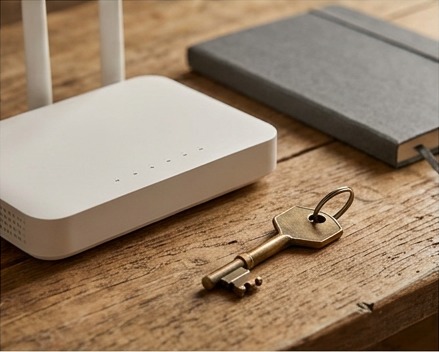
Use appropriate wireless encryption
CISA’s home-Wi-Fi guidance recommends WPA3 Personal or WPA2 AES where supported. Review device compatibility and the router’s exact settings rather than selecting a similarly named obsolete mode. Open networks and older encryption options are not suitable substitutes. If you are unsure what the interface means, consult the official manual or ISP. Strong encryption is one control; it does not make every connected device trustworthy.
Reduce unnecessary management exposure
CISA recommends disabling remote management, WPS and UPnP in its home-Wi-Fi checklist. Check whether a legitimate service depends on a feature before changing it, and get help when needed. Prefer the least exposure consistent with your requirements. Do not enable remote administration merely for convenience without understanding its protections. Document changes so you can identify the cause if an application stops functioning afterward.
Separate guests and review devices
Use a guest network where appropriate and supported, and avoid giving visitors router-administration access. Review connected devices and investigate unfamiliar entries through the router’s documentation. Keep work devices updated and follow the employer’s remote-access policy. A guest network is not a complete corporate security architecture. Sensitive client work may require additional controls that should be defined by the responsible organization.

Keep a recurring maintenance checklist
Review firmware, supported encryption, passwords and connected devices on a regular schedule. Keep the router in a suitable physical location and protect recovery information. Record the current configuration and official support reference. Do not assume a VPN or security subscription replaces router maintenance. A secure home setup combines maintained network equipment, protected accounts, updated endpoints and the policies appropriate to the work you perform.
Common questions
Does a strong Wi-Fi password replace firmware updates? No. Passwords and software maintenance address different risks. Keep supported firmware current and use appropriate encryption alongside protected administration. Follow official instructions and review device support status instead of assuming one strong credential makes the router permanently secure.
Should guests have the administrator password? Ordinary internet access does not require router-administration access. Use an appropriate guest arrangement where supported and share only the access needed. Keep administrator credentials limited to the people responsible for maintaining the equipment and its security settings.