

Images are reused AI-generated editorial illustrations, not documentary photographs or verified product screenshots.
A decommissioning project plan template helps retire a system without losing needed records, disrupting users or leaving unnecessary access behind. Switching off software is only one step. Atlassian’s project-planning guidance emphasizes scope, risks and responsibilities. Apply those principles to an approved retirement plan, with specialist input for security, legal retention and technical dependencies where the system’s importance requires it.
Copy the essential planning fields
Use these headings: system and owner; retirement reason; users and dependencies; data to retain; migration destination; acceptance checks; shutdown window; rollback or recovery approach; access removal; final verification. Put a responsible person and approval beside each significant step. The template should reveal unanswered questions before the shutdown, not serve as proof that the answers already exist.

Map dependencies and records
Identify integrations, scheduled jobs, links, reports and credentials that refer to the system. Agree which records must be retained, who may access them and how exports will be checked. Do not assume a downloaded file is a complete or usable archive. Confirm applicable retention duties with the responsible professional rather than applying a universal deletion deadline.
Stage the retirement and verify closure
Move users and workflows to the agreed alternative, test required functions and communicate the transition. Obtain approval before irreversible actions. Remove unnecessary accounts, tokens and scheduled access through supported methods. Preserve needed audit evidence without storing secrets in the handover report. Distinguish shutting down a service from canceling the contract or ending billing.
A practical checklist
- Approve scope, ownership and timing.
- Map users, integrations and retained records.
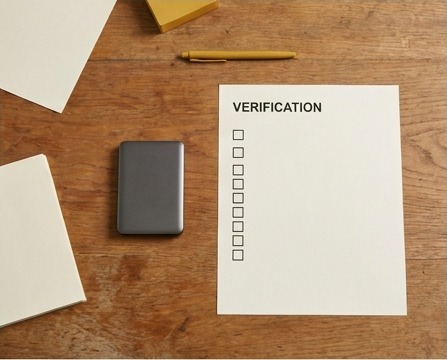
- Validate exports and the replacement workflow.
- Communicate the transition and recovery approach.
- Verify access removal, service status and billing separately.
Worked example
Illustrative example: a team retires a project-tracking app. It exports approved records, confirms the new tracker contains active work, updates shared links and removes the old integration tokens. The owner checks that subscription billing has stopped while retaining records required for business purposes. Each step is recorded; canceling payment alone would not complete the retirement.
Common questions
Is an export automatically a backup? No; test completeness and usability. Should all historical records be deleted? Follow applicable duties and approved retention decisions. Is rollback always possible? No, so plan irreversible steps carefully. Who approves closure? Name an accountable owner.
What to do next
Keep the completed plan with the retained system records. A future question about a missing report or old integration should have a documented answer. Good retirement planning reduces hidden operational dependencies instead of merely removing an application icon.