


Images are reused AI-generated editorial illustrations, not documentary photographs or verified product screenshots.
A website development invoice template should connect the amount requested to the work the client approved. It is not a replacement for the development agreement or an opportunity to add unexpected services. The IRS identifies invoices and related supporting documents as part of business recordkeeping. Required invoice details vary by jurisdiction, so use the structure below as a practical starting point and confirm local tax and legal requirements.
Use a consistent header and reference
Include your business identity, the client’s billing identity, an invoice number, issue date, currency and the relevant project or purchase-order reference. Identify the agreed due date and payment method without exposing administrator credentials or recovery information. A stable reference helps both parties connect the request to their accounting records and avoid confusing multiple versions.
Describe milestones rather than vague charges
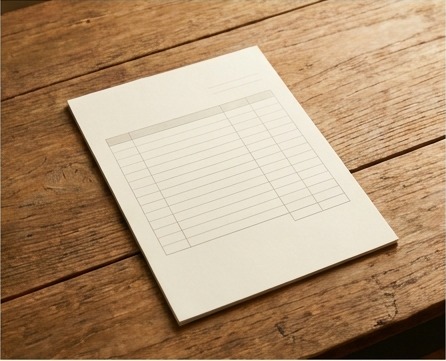
Use line items for approved deliverables or billing milestones. For each item, state the description, period or milestone, quantity where relevant and amount. Distinguish development from hosting, licensed assets and maintenance. If reimbursable expenses are included, connect them to the agreement and evidence. Tax treatment must follow the applicable rules rather than an assumed universal percentage.
Check approval and arithmetic before sending
Confirm that the billing milestone has been reached and the client’s required purchasing process is satisfied. Reconcile deposits or credits so they are not charged twice. Check line totals, adjustments, tax where applicable and the amount due. Save the issued version with approval and payment records; do not silently overwrite an invoice already sent.
A practical checklist
- Business and client billing details.
- Unique invoice and project references.
- Approved milestones and clear line descriptions.
- Deposits, credits, applicable tax and final balance.
- Agreed due date, payment instructions and support contact.
Worked example
Illustrative line structure: approved design milestone, $600; implementation milestone, $900; previously received deposit, minus $300. Before any applicable tax or other approved adjustment, the amount due is $1,200. These fictional amounts demonstrate the structure, not recommended pricing. The invoice should state what each milestone covers and retain its approval reference.

Common questions
Should ongoing maintenance appear automatically? Only if agreed and currently billable. Does an invoice prove acceptance? Not necessarily; retain the relevant approval. Can one template be used internationally? Adapt it to the contract, currency and applicable requirements. Should payment credentials be embedded? Never include account passwords or secrets.
What to do next
Keep the template separate from individual issued invoices so a format update does not rewrite earlier records. Review the billing process with your accountant when services, tax obligations or client purchasing requirements change. A clear invoice makes reconciliation easier without promising payment by a particular date.
Sources and further reading
Related reading
- A Google Docs Invoice Template for Freelance Client Work
- How to Scope a Fixed-Price Project Before Quoting