

Images are reused AI-generated editorial illustrations, not documentary photographs or verified product screenshots.
Audacity for video editing means using an audio editor within a broader video workflow, not treating it as a complete video timeline application. Define the supported audio handoff and the actual video editor first. File compatibility and synchronization should be tested before committing to a client’s production process.
Separate audio editing from picture editing
Audacity’s core role is audio recording and editing. A full video workflow also needs picture sequencing, visual transitions and other capabilities in an appropriate tool. Do not promise that an audio project provides those features. Identify the exact stage Audacity handles, such as an approved narration or dialogue edit.
Agree source and synchronization requirements
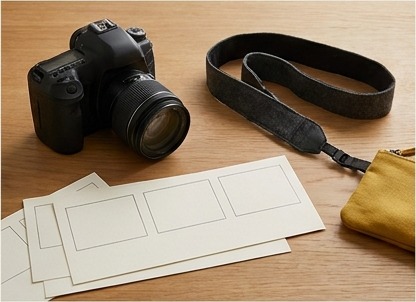
Review the supported method for obtaining authorized audio and the installed version’s import capabilities. Do not assume every container or codec opens identically on every system. Record timing references and the video editor’s required audio specification. Trimming or changing duration without a synchronization plan can make the return file difficult to align.
Check the return in the actual video project
Export the agreed audio and import it through the approved video workflow. Review alignment near the beginning and end and any relevant edited points. Preserve original timing references and editable work. A playable audio file is not proof of correct lip synchronization, picture editing or complete production delivery.
A practical checklist
- Define Audacity’s audio-only stage clearly.
- Choose an appropriate video editor for picture work.
- Review authorized source and format support.
- Preserve timing references and duration intent.
- Verify the return audio in the actual video project.
Worked example
Illustrative example: a synthetic training video uses an original narration edit prepared in Audacity. The editor keeps the required timing reference, exports the agreed audio and verifies alignment in the video application. Audacity is not presented as the tool that performs picture cuts or guarantees synchronization simply by exporting a file.
Common questions
Is Audacity a complete video timeline editor? No. Does a playable export prove synchronization? No. Can supported formats vary by setup? Yes; check the actual documentation and workflow.
What to do next
Keep a source-to-return handoff specification with the production brief. Clear tool boundaries make audio improvements useful without overstating the editor’s role in a finished video.
Sources and further reading
- Audacity: Audio editor and recorder
- Audacity: Export audio
- Audacity: Basic recording, editing and exporting
Related reading
- Remote Video Editing Jobs: Skills, Samples and Safer Applications
- Buying Software for a Small Team: A Decision Checklist
Audacity Multitrack: Separate Editing Tracks from Simultaneous Device Recording